Getting started
Roles and permissions
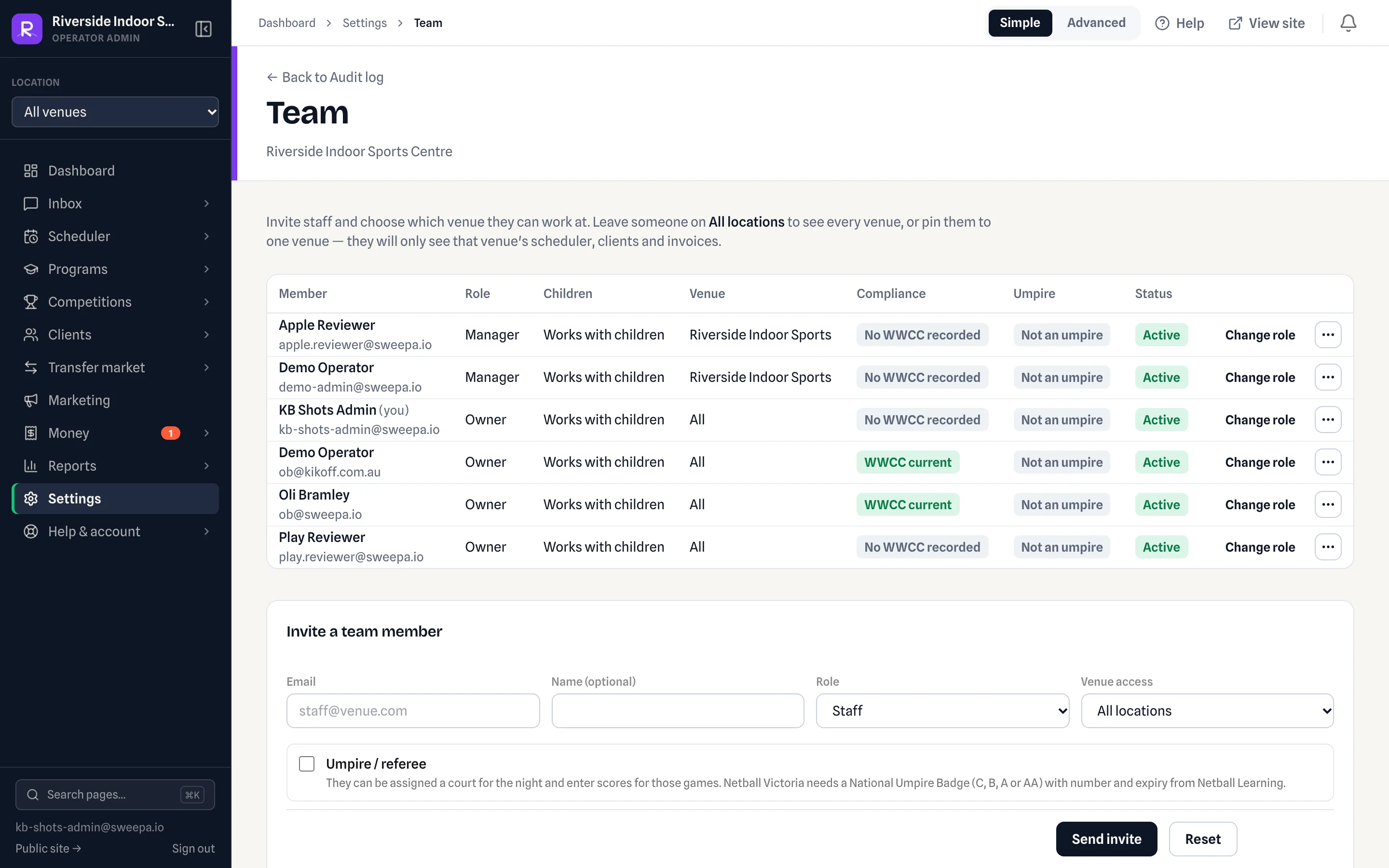
Each team member has one of five roles. Nav items and actions hide or block what a role cannot do. Owners change a role under Settings → Team.
The five roles
| Role | Typical use |
|---|---|
| Owner | Venue owner — full access including billing, team, and domain |
| Manager | Venue manager — configuration, billing, and day-to-day ops |
| Staff | Front desk / coaches — bookings, registrations, clients, invoices (view + take payment) |
| Marketing | Promo Tools and public-site copy — no scheduler, clients, or children's records |
| Accountant | Revenue, reports, invoices and their CSV / Xero exports, the month-end list, and Settings → Accounting — read-only on money: no scheduler, refunds, voids, taking payments, or team |
Works with children (WWCC)
Separately from role, owners can mark a login as Works with children. That is who needs a Working With Children Check.
- On (the default for owner, manager and staff) — WWCC is required. Junior medical notes, emergency contacts and dates of birth stay hidden until a current check is recorded on Settings → Team.
- Off (the default for Marketing and Accountant, and for generic desk logins you un-tick) — no WWCC, and no child data. Use this for the marketing team and shared logins that should not see juniors.
Owner only
- Settings → Team — invite and remove members, change roles
- Settings → Domain & email
Owner and manager
- Venue setup, pricing rules, branding
- Settings → Communications and Templates
- Account → Payments & Billing (Stripe Connect)
- Invoice void, cash payments, and refunds
- Invoice and custom-report CSV exports (also the Accountant)
- Issue month-end invoices; bank details and payment settings
- Reschedule bookings, generate fixtures
- Settings → Audit log
- Confirm a change the help assistant sets up (owners also choose which areas it may touch, under Settings → Sweepa Agent)
All roles (including staff)
- Dashboard, scheduler, bookings
- Clients, registrations, invoices (view + Take payment on list)
- Customer inquiries queue
- Programs and competitions catalogue
- Sweepa Agent and guides, including walkthroughs in Teach me. A staff member gets a filled-in form to save themselves rather than a Confirm card.
- Send client email and SMS
Audit log
Settings → Audit log (/admin/audit) is a read-only, newest-first record of significant actions across your account: comms sent, status changes, payments, refunds and more. It's available to owners and managers, 50 entries per page. Use it to answer "who changed this, and when?".
Each entry shows:
- when it happened
- the action
- who did it (or System for automated jobs)
- the resource it touched
- a short detail snippet
Change a role
Owners go to Settings → Team, find the member, and update their role.
Related
- What the assistant can change
- Getting started
- Invoices overview
<!-- agent-helper-block:start -->
Or ask the helper
<!-- generated: job=team.invite · teach=team.invite -->
- Show me — ask the helper to show you, and it lights the control on your own screen while you press it.
- Inviting somebody is about a person joining your venue — you send it.
<!-- agent-helper-block:end -->
Last updated 22 October 2026