Getting started
Finding your way around the admin
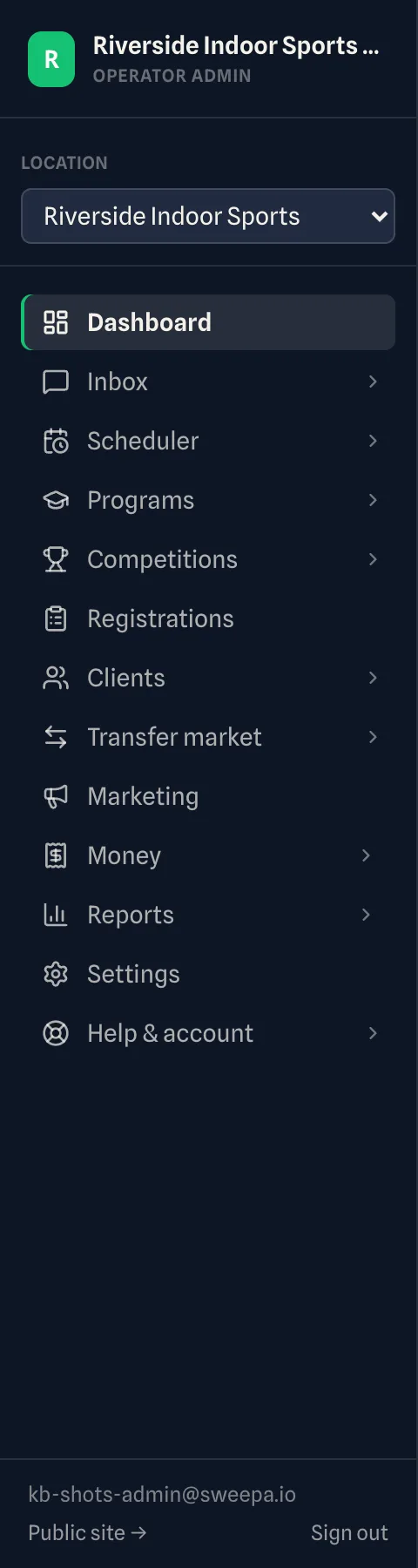
Four things tell you where you are in the admin and get you back quickly: the sidebar, the breadcrumb trail, the browser tab title and the back link on detail pages. Breadcrumbs and tab titles work the same way in every area.
The sidebar
The left sidebar groups everything by area, and the section you're in is highlighted. On a phone, tap the menu button in the top bar to open it.
Breadcrumbs
The top bar shows a breadcrumb trail on the left, like:
Dashboard › Settings › Webhooks › Deliveries

On the right of the same bar are Simple | Advanced, Help, View site and your notifications.
Each step before the last is a link. Click one to jump straight back up a level — from a delivery log to your webhook settings, say, or from a Website page to Settings. The last item is the page you're on now.
The browser tab title
Your browser tab title updates to the page you're viewing (for example, "Invoices · Your Venue"). If you keep a few tabs open, you can tell them apart at a glance.
Back links
A detail page — a single booking or registration — has a back link at the top of its header, named after the place it goes (for example ← Scheduler on a booking, or the program on a registration). If you opened the record from another admin page, the link takes you back to that page instead and is named after it; if you came from anywhere else, it goes to the page it names.
Related
Last updated 21 October 2026